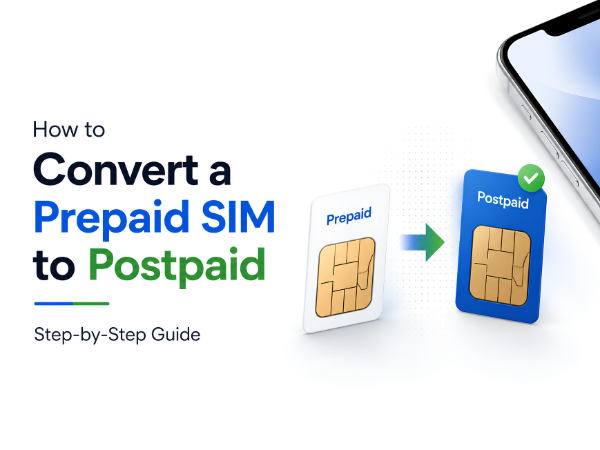
Thinking about switching from a prepaid connection to a postpaid plan? Whether you're tired of frequent recharges, need higher data benefits, or want the convenience of a monthly bill, converting your prepaid SIM to postpaid is a simple process.
The good news is that you can keep your existing mobile number while upgrading to a postpaid plan.
In this guide, we'll explain how to convert a prepaid SIM to postpaid, the benefits of postpaid plans, and what you need before making the switch.
What is a Postpaid Connection?
A postpaid connection allows you to use mobile services first and pay the bill at the end of the billing cycle.
Unlike prepaid plans, where you recharge in advance, postpaid users receive a monthly bill based on their selected plan.
Postpaid plans often include:
- Monthly data allowance
- Unlimited calling
- SMS benefits
- OTT subscriptions (depending on the operator)
- Family plans
Why Convert from Prepaid to Postpaid?
Many users switch to postpaid because of the convenience and additional benefits.
Common reasons include:
No Frequent Recharges
You don't have to remember recharge dates every month.
Higher Data Benefits
Many postpaid plans offer larger data allowances.
Better Plan Management
All charges are consolidated into a monthly bill.
Family Plans
Some operators allow multiple numbers under one bill.
Additional Benefits
Depending on the telecom provider, users may receive OTT subscriptions, international roaming benefits, or priority customer support.
How to Convert Prepaid to Postpaid
The exact process may vary by telecom operator, but the steps are generally similar.
Method 1: Visit the Telecom Provider Store
- Visit the nearest customer service store of your telecom operator.
- Carry a valid ID proof.
- Request prepaid-to-postpaid conversion.
- Choose a suitable postpaid plan.
- Complete verification formalities.
- Wait for activation confirmation.
In most cases, your mobile number remains unchanged.
Method 2: Convert Online
Many telecom operators now offer online migration.
Steps:
- Visit your telecom operator's website or mobile app.
- Log in with your mobile number.
- Navigate to Upgrade to Postpaid or Switch to Postpaid.
- Select your preferred plan.
- Submit the request.
- Complete any required verification.
A representative may contact you for further processing.
Method 3: Contact Customer Care
You can also request conversion through customer support.
Typically, you'll need:
- Active mobile number
- Valid identity proof
- Address verification (if required)
Customer support will guide you through the process.
Documents Required
Most operators may ask for:
- Aadhaar Card
- PAN Card
- Passport
- Driving License
- Other government-approved ID proof
Requirements may vary depending on the operator and region.
How Long Does Conversion Take?
The process is usually completed within a few hours to a few days, depending on the telecom operator and verification requirements.
You may receive:
- SMS confirmation
- Activation message
- Plan details
Once activated, your prepaid balance may no longer be available according to the operator's policy.
Things to Consider Before Switching
Before converting your number:
Compare Plans
Check available postpaid plans and choose one that matches your usage.
Understand Billing Cycle
Know when your monthly bill will be generated.
Check Additional Charges
Review roaming, international calling, and data policies.
Read Plan Benefits
Some plans include OTT subscriptions, family sharing, and premium services.
Frequently Asked Questions
Will My Mobile Number Change?
No. Your existing number remains the same during prepaid-to-postpaid conversion.
Do I Need a New SIM Card?
In many cases, the same SIM continues to work. However, some operators may provide a replacement SIM if required.
Can I Switch Back to Prepaid Later?
Yes. Most telecom operators allow users to migrate back to prepaid if needed.
Will My Contacts and Data Be Lost?
No. Contacts, photos, apps, and personal data stored on your phone remain unaffected.
Having SIM or Network Issues?
If your smartphone is facing issues such as:
- SIM not detected
- Network problems
- Call connectivity issues
- Software-related SIM errors
Carlcare Service can help diagnose and resolve smartphone-related issues.
📞 Contact Us: 1800-4190-525
📍 Find a Service Center:
https://www.carlcare.in/in/service-center/
📅 Book a Repair:
https://www.carlcare.in/in/repair-appointment/
T&C Apply